Stop wasting time with your medical photos.
The medical photography app for dermatologists and aesthetic doctors in private practice, hosted in Europe on HDS certified infrastructure.
15 days of Pro included, no credit card required.
Your camera roll is not a patient record.
Today
- Clinical photos mix with personal ones and sync to your private iCloud.
- Finding the photo from the first consultation takes minutes of scrolling.
- Getting a photo onto the practice computer means AirDrop, email or a cable.
With MedPix
- Every photo is linked to a patient and dated the moment you take it.
- Every session of a patient is sorted by date, ready to compare.
- A photo taken in clinic shows up on your computer within seconds.
What changes from your first consultation
- From the Essential plan
The label opens the right record
Photograph the patient’s label, ID card or record on screen: MedPix finds their record, or creates it if it does not exist yet.
- Included in every plan
Annotations that speak to the patient
Draw, point and comment on your photos during the consultation to explain a lesion or a procedure in seconds.
- Freehand drawing, arrows, shapes and text
- Annotations synced across all your devices
- Included in every plan
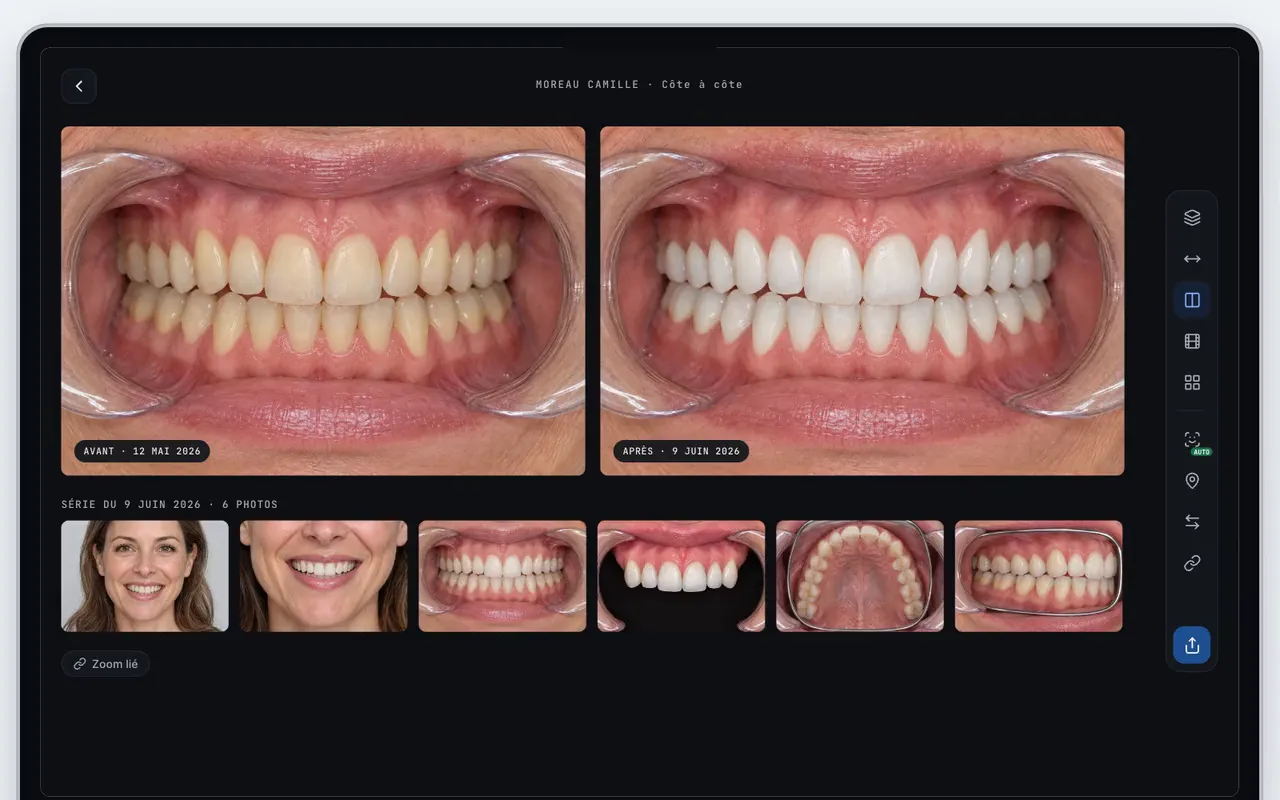
Before and after, side by side
Pick two sessions and MedPix shows them side by side or overlaid so you can measure progress.
MedPix for dermatology - From the Pro plan
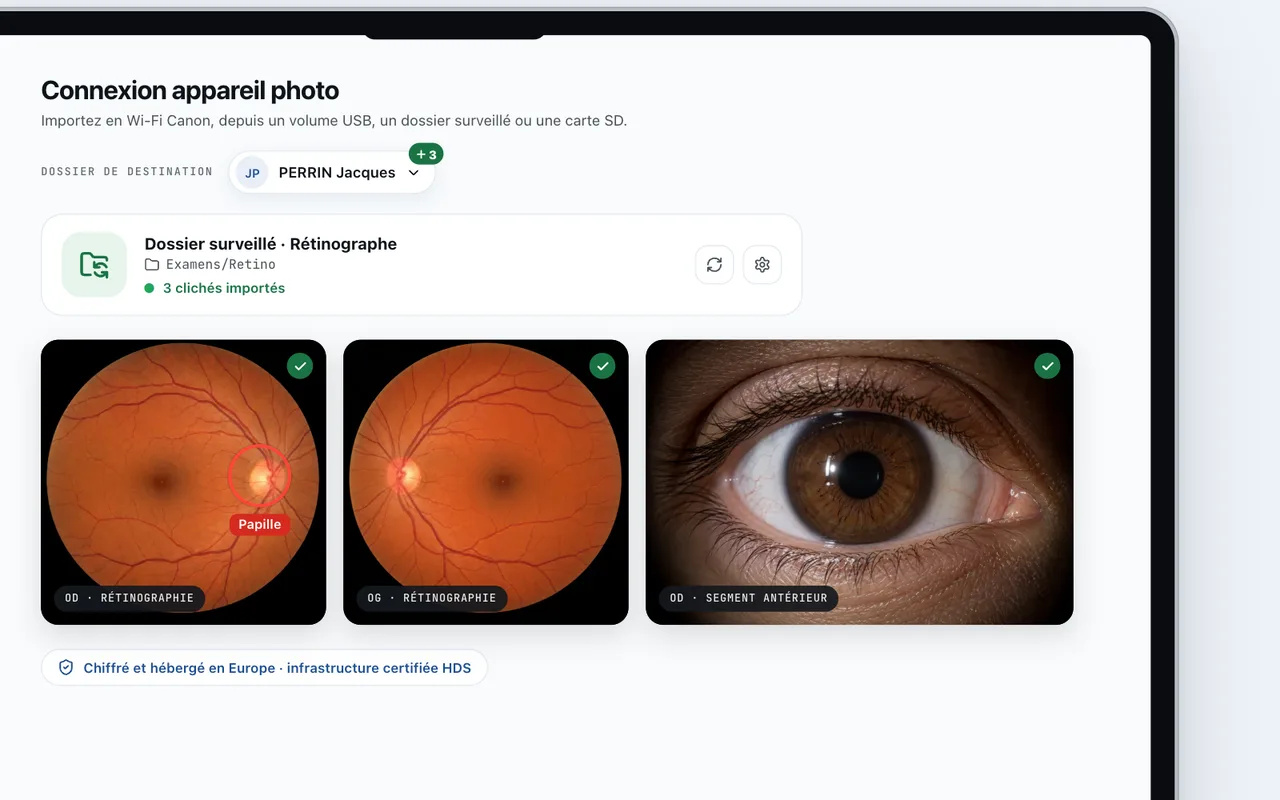
Your DSLR connected to the patient record
Connect your professional camera and shots go straight into the patient record you choose.
- Canon, Nikon and Sony over WiFi or USB
- Direct import from the SD card
Everything around the photo
The tools doctors ask us for most, from the consultation to the patient.
- From the Pro plan
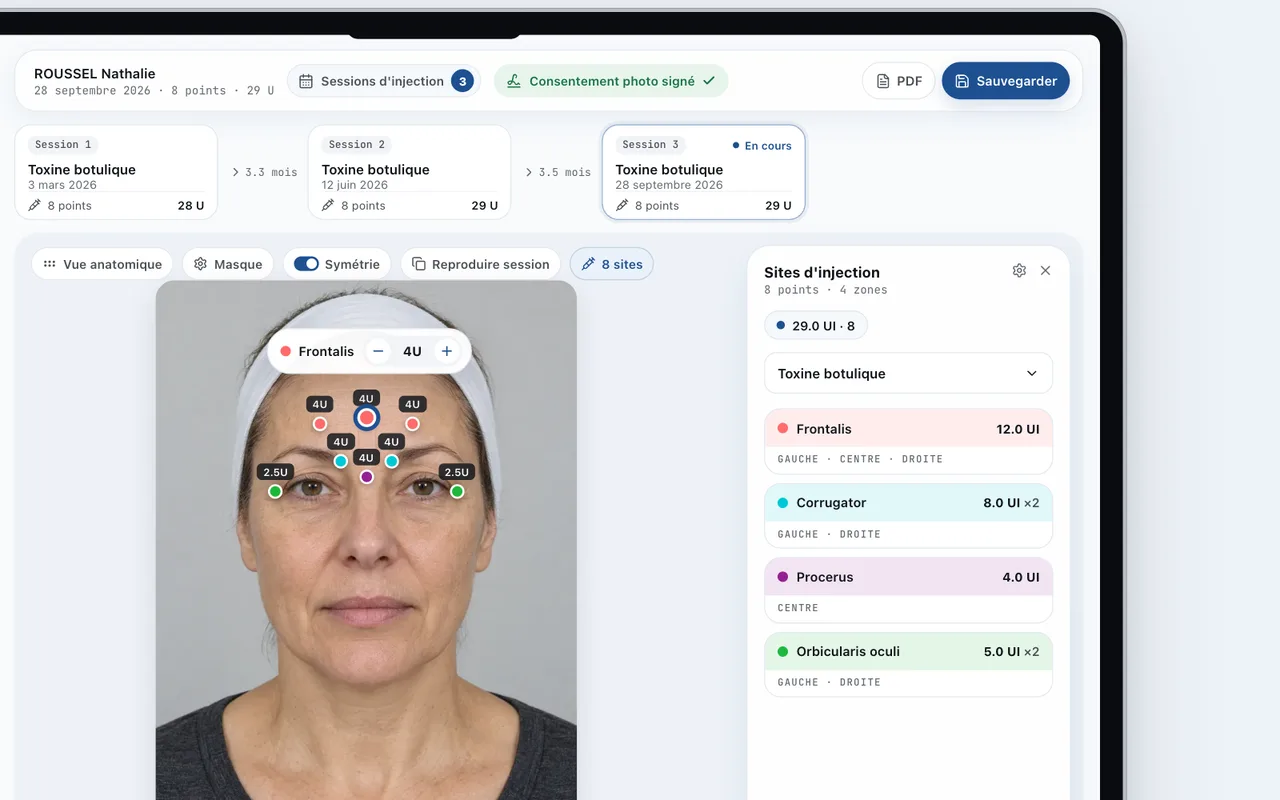
Injections, mapped
Points, products and doses recorded on a face chart, there again at the next session.
MedPix for aesthetic medicine - From the Pro plan
A secure portal for your patients
Share photos, consents and documents with your patients in a protected space, with strong authentication and controlled downloads.
- You decide what is shared
- Patient access protected by strong authentication
- From the Pro plan
Doctolib patients, record prefilled
From Doctolib, import the patient's details in one click and start the MedPix record without typing anything again.
- A MedPix button on every Doctolib patient page
- Extension for Chrome and Edge
- From the Pro plan
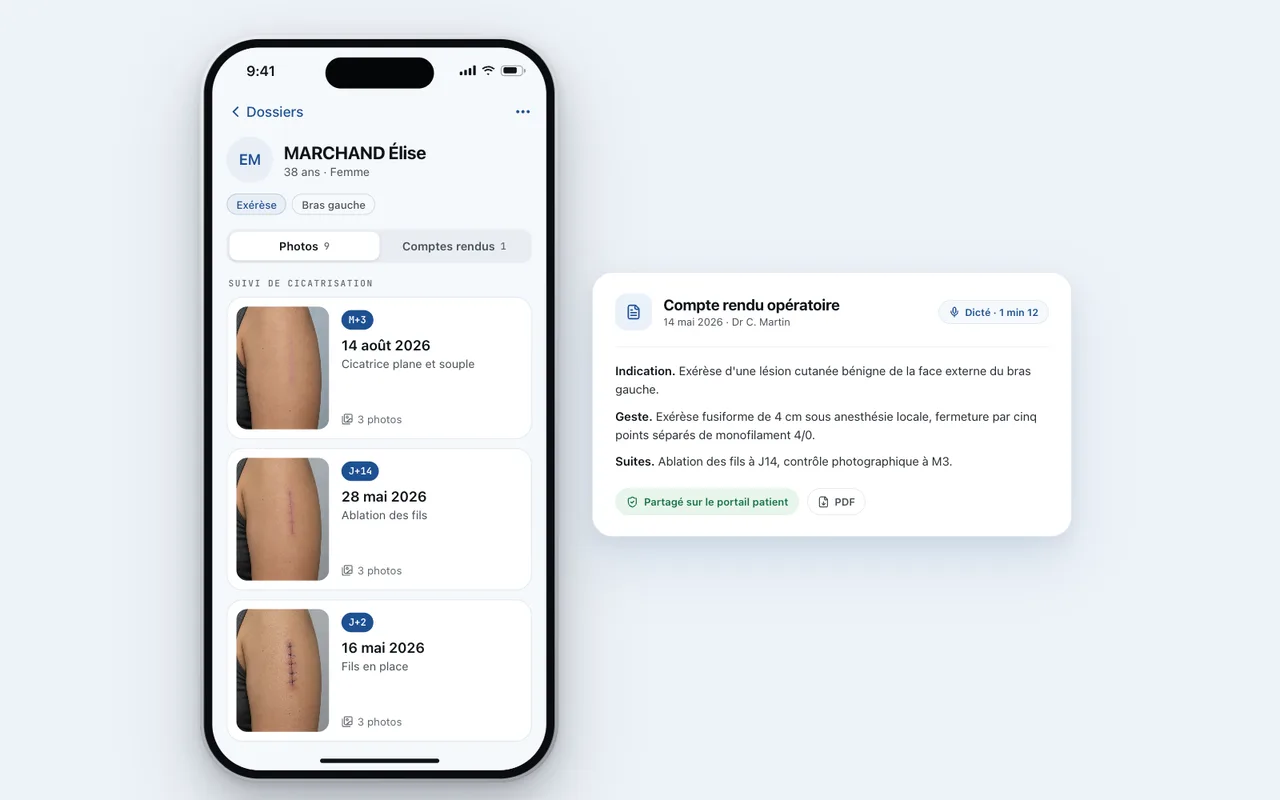
Dictated letters, written for you
Speak freely and MedPix drafts a report or letter ready for your review.
Explore MedPix Voice
Connected to your practice software
Your patients come in from your software and their photos go back to it, filed in their record. With the MedPix desktop app, installed at the practice.
Your patients into MedPix
LOGOSw opens the patient in MedPix from their record. Other software goes through its patient export, as CSV or JSON.
Your photos into your software
Each photo lands in the patient's folder that your software imports, like the Imagerie module of LOGOSw.
LOGOSw is a trademark of its publisher. MedPix is not an official LOGOSw partner.
Built for your specialty
Pick yours.
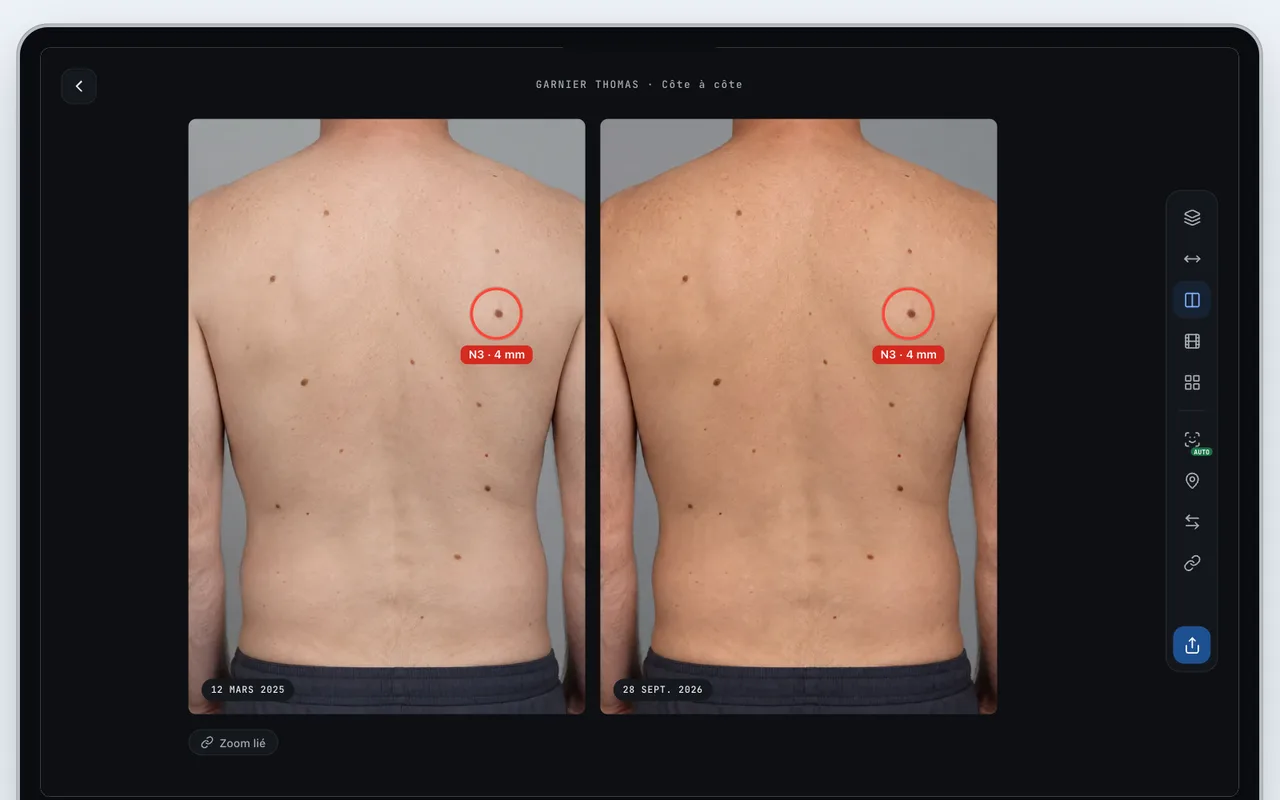
01 / 06
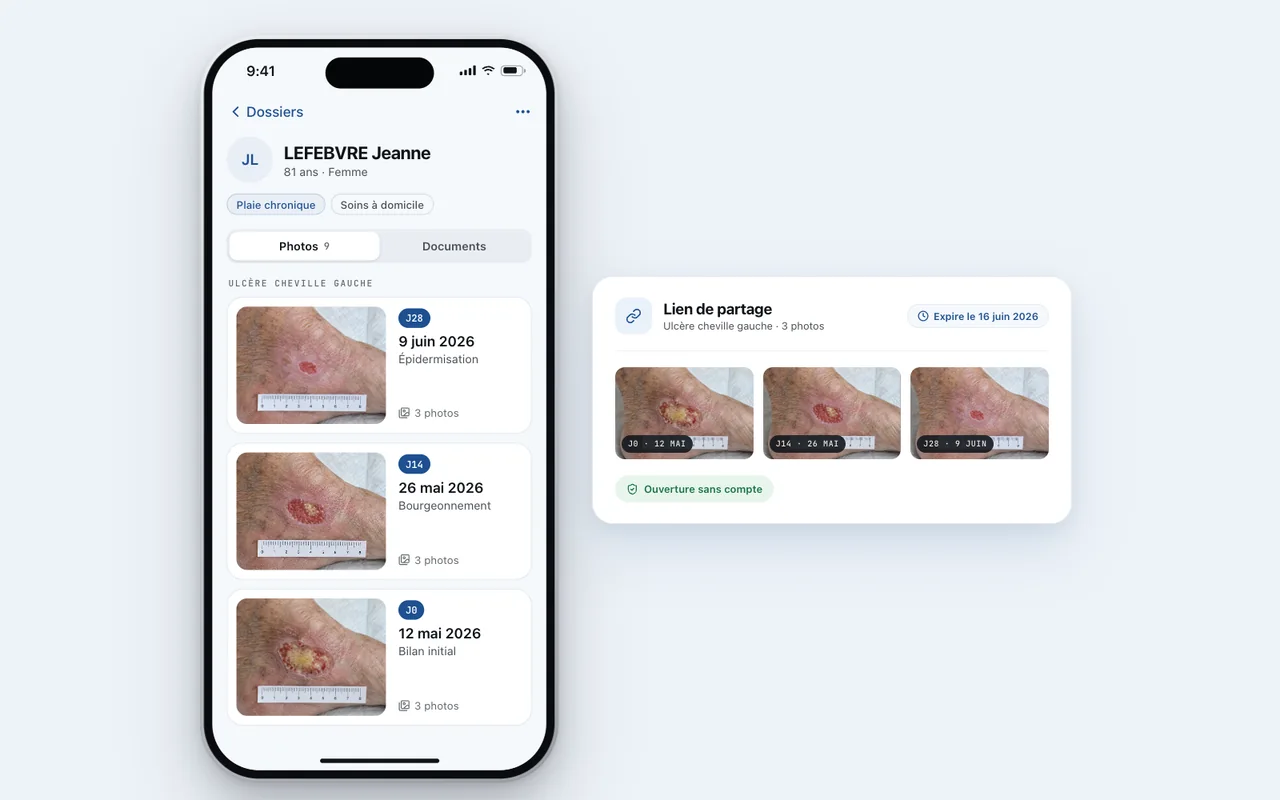
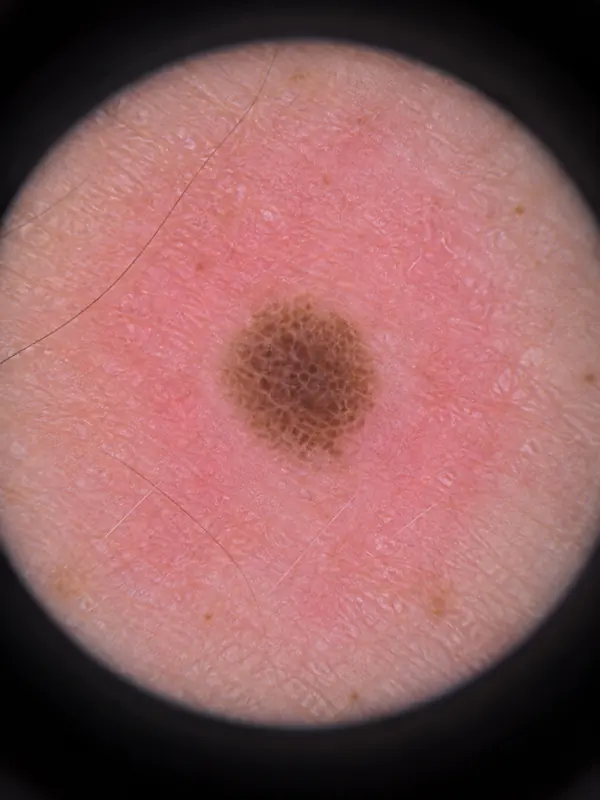
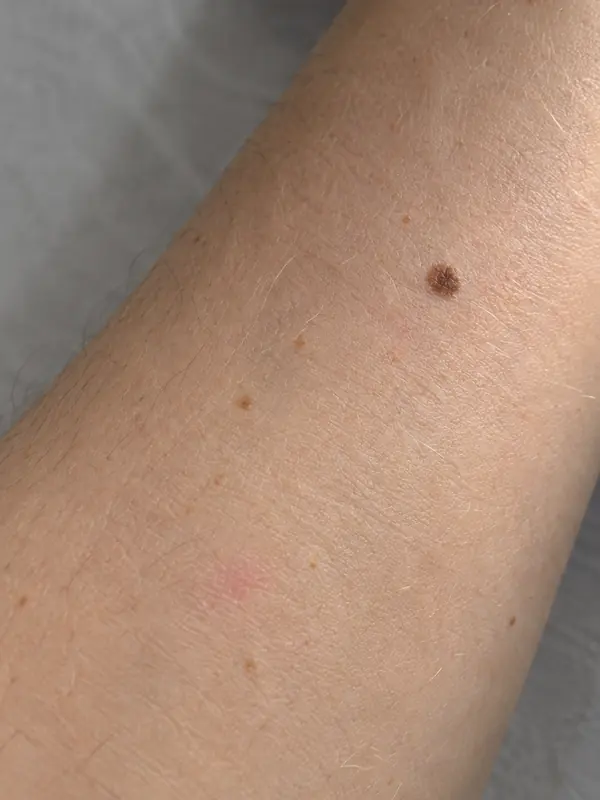
Follow every lesion over time
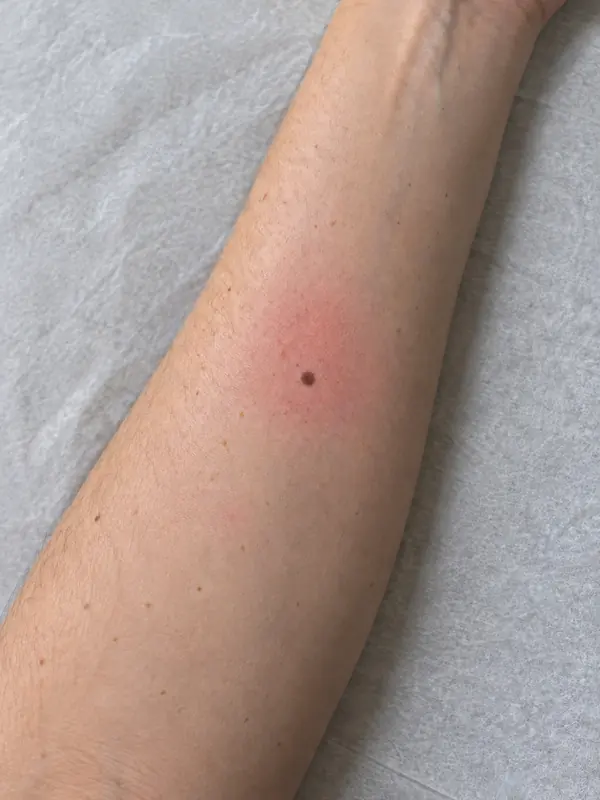
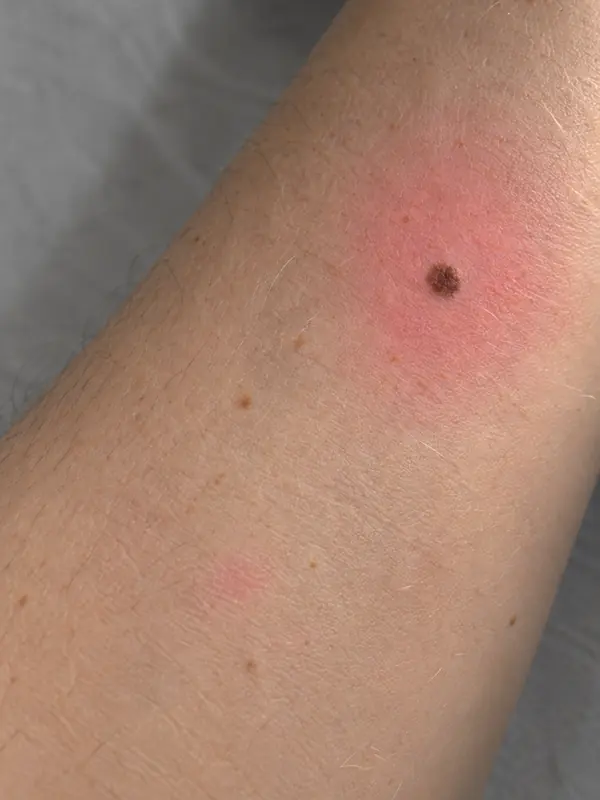
Mole mapping and skin lesion follow up, photo after photo, from the same angle.
- Photos dated and filed by patient
- Side by side or overlay comparison
- Annotations to mark a lesion
Designed by a doctor, rated 4.6 on the App Store
A solution to an everyday problem
A very well-structured app that lets you save and edit your medical photos without any problems and access them from all your devices.
Born in the consultation room
MedPix is designed by a doctor who uses it for the photo follow up of their own patients. Every feature starts from a need met in consultation.
Meet the founderYour photos remain health data
Your patients' photos and records are protected from the phone all the way to the server.
On your phone
Face ID lock
The app only opens with your face or your passcode, and photos stay out of your camera roll.
In transit
Encrypted in transit
Every photo travels over an encrypted TLS connection between the app and our servers.
On our servers
Hosted in Europe, HDS certified
Google Cloud servers in Europe, on infrastructure certified for health data hosting, with encryption at rest.
Free to start, no commitment after
15 days of Pro when you sign up, no credit card required. When the trial ends, you move to the free plan unless you pick one.
Discovery
To try MedPix on your first patients.
Free
No time limit
- 500 MB of storage
- Photo and video capture
- Multi-device sync (PC, iPhone, iPad, Android)
- Clinical exports with watermark
Essential
To document every consultation.
€8.99per month
Billed monthly, no commitment
- 10 GB of storage
- 30 AI credits / month
- Multi-device sync (PC, iPhone, iPad, Android)
- AI-aligned before/after comparison
- Image background removal
- AI-assisted dictation and medical letters
- Clinical exports without watermark
Pro
15 days freeFor aesthetic medicine and complete follow up.
€14.99per month
Billed monthly, no commitment
- 50 GB of storage
- 150 AI credits / month
- Everything in Essential, plus:
- Secure patient portal
- Digital PDF consent
- AI operative reports
- Medical Drive
- Toxin injection follow-up
- Import from an external camera
- Practice software connection, subject to compatibility
15 days of Pro included, no credit card required.
Practice & hospital
One shared clinical workspace, individual access.
Bring your team together in a shared workspace while keeping each practitioner's personal data separate.
Pricing on request
Pricing, storage and AI credits scaled to your number of users.
- Patient records and media shared according to permissions
- Roles and permissions managed by your administrator
- Shared storage and AI credits scaled to your number of users
- Full exports, audit trail and deployment support
Frequently asked questions
Straight into the patient's record. They are never saved to your phone's Photos app or to iCloud Photos, and they stay apart from your personal photos.
In Europe, on HDS certified Google Cloud infrastructure (French certification for health data hosting). Data is encrypted in transit and at rest, and our data processing agreement (GDPR article 28) is available online.
Read the data processing agreement (GDPR, article 28)The Discovery plan is free with no time limit. Essential costs €8.99 per month and Pro €14.99 per month, with a discount for yearly billing. Every plan is commitment free.
You move to the free plan automatically, with no charge. Your photos stay viewable. If you go over 500 MB, adding new photos is blocked until you free up space or choose a plan.
iPhone and iPad, Android, Mac and Windows. Your photos and records sync across all your devices.
With the Pro plan, connect your Canon, Nikon or Sony camera over WiFi or USB, or import the SD card directly. Photos land in the patient record you choose.
To save time on paperwork: turning your dictations into reports and letters, reading a patient label to create the record, aligning two photos to compare them. MedPix makes no diagnosis and produces no automated score on your photos.
With the Pro plan, the patient signs the consent on screen and the PDF is filed in their record.
You can export your patients and their photos from the app, and delete your account at any time from the settings. Deletion erases your data from our servers.
Yes, with the Pro plan. LOGOSw opens the patient in MedPix and receives their photos in its Imagerie module. For other software, MedPix reads the patient export (CSV or JSON) and drops the photos in the folder your software imports. Doctolib patients can also prefill their record. Tell us which software you use so we can prioritise it.
MedPix offers shared spaces: each practitioner keeps their own account, and the team shares a common patient base with permissions set by an administrator. Pricing is quoted on request.
Your next patient photo deserves better than ending up in your iCloud camera roll.
15 days of Pro included, no credit card required.
Three steps, from clinic to computer
Create the patient
Type a name or scan the patient label and the record is ready within seconds.
Shoot in MedPix
The integrated camera shows framing guides so you can repeat the same angles at every session.
Find everything at the practice
Open MedPix on your Mac or PC: photos, comparisons and letters are already in sync.